
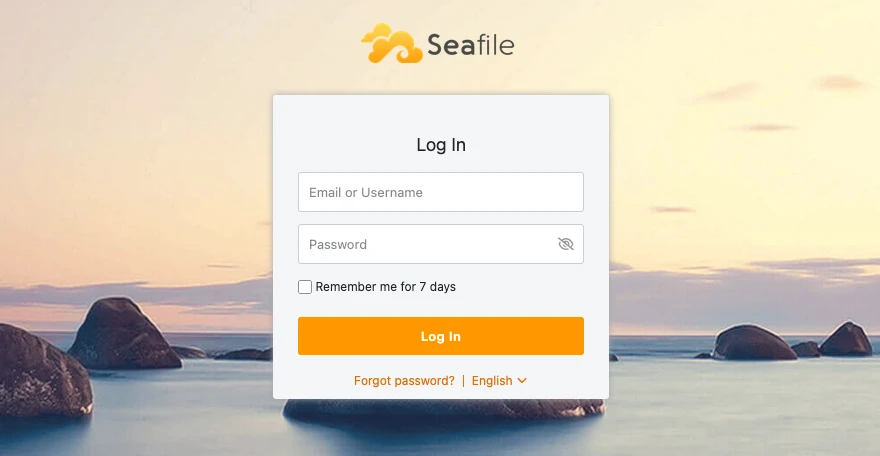
Since my first steps into self-hosting in 2018, I have been using Nextcloud as my primary solution for file storage and documents. However, over time, I found myself increasingly dissatisfied with its performance and complexity. Using PHP-based applications like Nextcloud often leads to slower performance compared to more lightweight solutions. As I am the only user of my instance, I decided to look for alternatives that could better meet my needs.
What do I use Nextcloud for?#
- File storage and synchronization across devices
- Calendar and contact management via CalDAV and CardDAV
- Document editing with Collabora
Find out how I set up Seafile & Radicale.
Alternative Solutions#
Looking for alternatives, I came across several options:
- seafile: Written in Python and C, stores files in blocks
- ownCloud: Written in PHP, similar to Nextcloud
- syncthing: Written in Go, no document features
- hoodik: Written in Rust, no mobile apps and no document features
- cloudreve: Written in Go, too many paid only features and no android app
After evaluating these options, I decided to opt for Seafile because it strikes the right balance between performance, features and ease of use. The fact that Seafile has a desktop client that supports virtual drives was also a big plus for me. The only downside is that files are not stored directly on the filesystem, which makes direct access to them a bit more complicated.
For calendar and contact management, I decided to use Radicale instead of the built-in Nextcloud features. Radicale is a lightweight CalDAV and CardDAV server that is easy to set up and use. It also has good support for synchronization with various clients.
Seafile Docker Compose Setup#
I host all my services behind a Traefik reverse proxy using Docker. The compose stack includes Seafile with MariaDB, Redis, plus Seadoc and Collabora.
Please refer to my GitHub repository for the complete compose file and configuration details: Seafile Docker Compose
Environment Setup#
- Database configuration:
SEAFILE_MYSQL_DB_HOST,SEAFILE_MYSQL_DB_USER,SEAFILE_MYSQL_DB_PASSWORD, and the three DB names (CCNET,SEAFILE,SEAHUB) configure Seafile’s MySQL backend. - Admin bootstrap:
INIT_SEAFILE_ADMIN_EMAILandINIT_SEAFILE_ADMIN_PASSWORDcreate the initial admin user on first run. - Hostname and protocol:
SEAFILE_SERVER_HOSTNAMEandSEAFILE_SERVER_PROTOCOLset external URL details behind Traefik. - Timezone:
TIME_ZONE(e.g., Europe/Berlin) aligns logs and scheduled tasks. - Redis caching:
CACHE_PROVIDER=redis, withREDIS_HOSTandREDIS_PORT, improves performance for sessions and caching. - Features:
ENABLE_GO_FILESERVER=trueswitches to the Go fileserver;ENABLE_SEADOC=trueturns on Seadoc integration. - JWT secret:
JWT_PRIVATE_KEYis required by Seafile and Seadoc for secure service-to-service auth — use a strong, random value. - Volumes:
${DIRECTORY}/shared:/sharedpersists config, data and logs across upgrades.
Treat all secrets carefully and never commit them to source control.
Collabora & Seadoc#
- Seadoc service runs alongside Seafile and points back to Seafile via
SEAHUB_SERVICE_URL. It shares the sameJWT_PRIVATE_KEYfor trusted communication and uses the Seafile DB (DB_HOST,DB_NAME=seahub_db). - Collabora Online is exposed via Traefik and configured with
server_name(your Collabora domain).aliasgroup1whitelists Seafile as an allowed WOPI origin.extra_paramsset SSL termination when Traefik handles TLS. - Traefik routing: Each service includes
traefik.http.routers.<service>.rule=Host(...)and appropriate entrypoints, keeping clean host-based routing. - Seafile UI integration: Collabora requires enabling WOPI in Seafile’s
seahub_settings.pyand pointingOFFICE_WEB_APP_BASE_URLto your Collabora endpoint.
Radicale Docker Compose Setup#
Radicale is a lot simpler to set up.
Also, if you need the complete compose file and configuration details, you can find it in my GitHub repository: Radicale Docker Compose
Afterwards you can access Radicale at the specified domain and start adding calendars and contacts.
Environment Setup#
- Domain & routing:
DOMAINsets the host used by Traefik (traefik.http.routers.radicale.rule=Host(${DOMAIN})) withhttpsentrypoint andexpose: 5232. - Security hardening:
read_only: true,security_opt: no-new-privileges:true,cap_drop: ALL, and a minimalcap_addset (e.g.,CHOWN,SETUID,SETGID,KILL). - Resource limits:
deploy.resources.limitsconstrain pids and memory (e.g.,pids: 50,memory: 256M).
Data Migration#
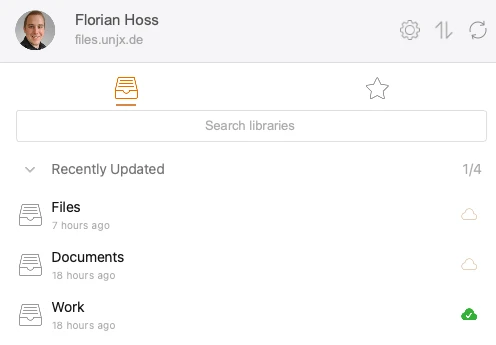
Migrating data from Nextcloud to Seafile was easy, as I have a complete local copy of all my files as its synced to my devices. I simply installed the seafile client on my machine and uploaded all files to the new server.
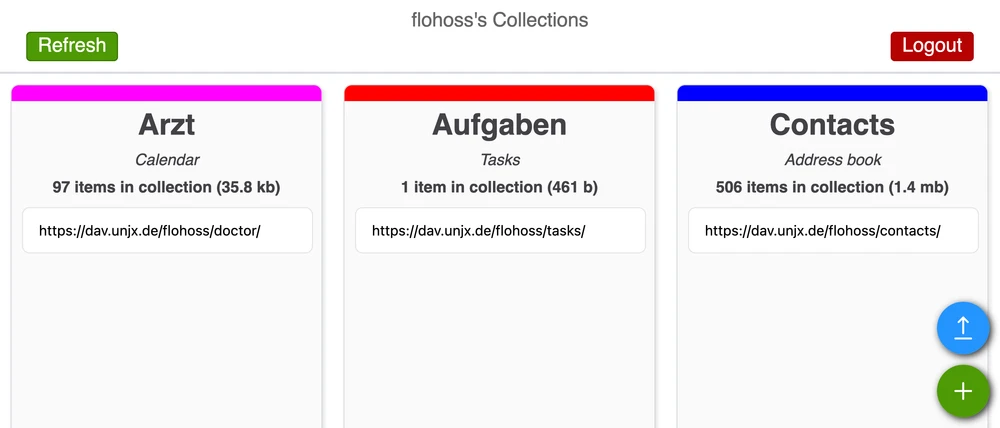
For calendars and contacts, I exported them from Nextcloud as .ics and .vcf files and imported them into Radicale directly in the GUI.
Mobile Setup#
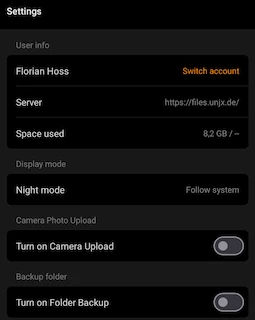
On my mobile devices, I use the Seafile app to sync files with Seafile.
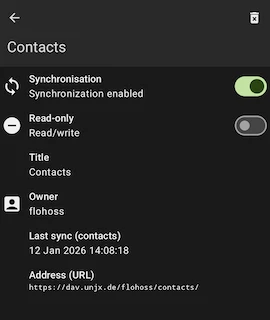
To sync calendars and contacts, I use DAVx5 with Radicale.
Conclusion#
Switching from Nextcloud to Seafile and Radicale has significantly improved my self-hosting experience. The performance is much better, and the setup is simpler and more maintainable. Nextcloud UI took a very long time to load on my server, while Seafile is much snappier. The client lacks no features in comparison to Nextcloud and works flawlessly. Syncing libraries separately also makes it easier to manage files. I can have a library for work files and one for personal files, and only sync what I need on each device.
Radicale is a great lightweight solution for calendar and contact management, and it integrates well with various clients. The GUI is very minimalistic but gets the job done.
This setup does not give you the option to manage users and calendars from the user interface like Nextcloud does.